Review · 11 min read
VEED Review: The bundle editor, if you can swallow the annual commit
VEED packs editor, captions, AI avatars, dubbing and generative video into one seat. Here is where the credit math and the monthly-vs-annual gap bite.
- Our rating
- 3.5
- Published
Disclosure: Some links below are affiliate links. If you sign up through one we may earn a commission — at no extra cost to you. We'd write the same review without them.
We do not have an active affiliate with VEED. The link at the bottom goes directly to veed.io and we earn nothing from your signup. The rest of this review is the same thing we would write to a friend.
TL;DR
- Who it's for: solopreneurs, marketers, and small creator-led teams who want one tool covering editor, captions, AI avatars, dubbing, and generative video — not specialists who already live inside Descript, CapCut, or Opus Clip.
- Pricing: Free (watermarked), Creator $20/mo monthly or $10/mo annually ($116/yr), Pro $44/mo monthly or $21/mo annually ($257/yr), Studio $70/mo monthly or $35/mo annually ($414/yr), Enterprise custom. All tiers are per editor. Free trial only on Enterprise, minimum 3 users.
- Best feature: the bundle. Editor plus Gen-AI Studio access to VEO 3.1, Sora 2, Kling, Seedance, and MiniMax in one credit pool, plus unlimited auto-subtitles on every paid tier.
- Biggest weakness: monthly-to-annual pricing gap of 52% on Pro. You are not really choosing between monthly and annual — you are being nudged into an upfront yearly commitment.
- Our pick: Creator annual at $10/mo effective is the sharpest price in the category if you need bundled AI video. Skip if you already pay for Descript or Opus Clip and don't need avatars or dubbing.
Who should use VEED
The solopreneur running a small content operation. You post YouTube videos, cut them into shorts, dub a few into Spanish, record talking-head intros from your phone, and occasionally render an AI avatar for an ad variation. Buying Descript plus Submagic plus Opus Clip plus HeyGen plus ElevenLabs would run you north of $150/mo. VEED Pro annual at $21/mo covers most of that, badly in some spots and well enough in others.
The marketer who needs volume UGC output. You are running paid social for a DTC brand and need five ad variations a week with different avatars, backgrounds, and scripts. Gen-AI Studio is unlimited on Pro and above, AI image generation is unlimited, and the avatar library is deep enough that you will not run out of faces in a quarter.
The creator who refuses to run five subscriptions. If your rule is "one invoice, one login, one credit pool," VEED is the editor that makes that rule defensible without dropping to a toy tool. The browser-based workflow means no desktop install, no plugin hell, and project state lives in the cloud by default.
Skip VEED if: your core editing pain is already solved. Podcasters in Descript don't need VEED. Short-form creators who live in Submagic for captions will find VEED's caption styling less brand-tunable. If long-to-shorts is your entire job, Opus Clip is still better at clip selection — VEED's Clips feature is a feature, not a specialty.
What VEED actually does
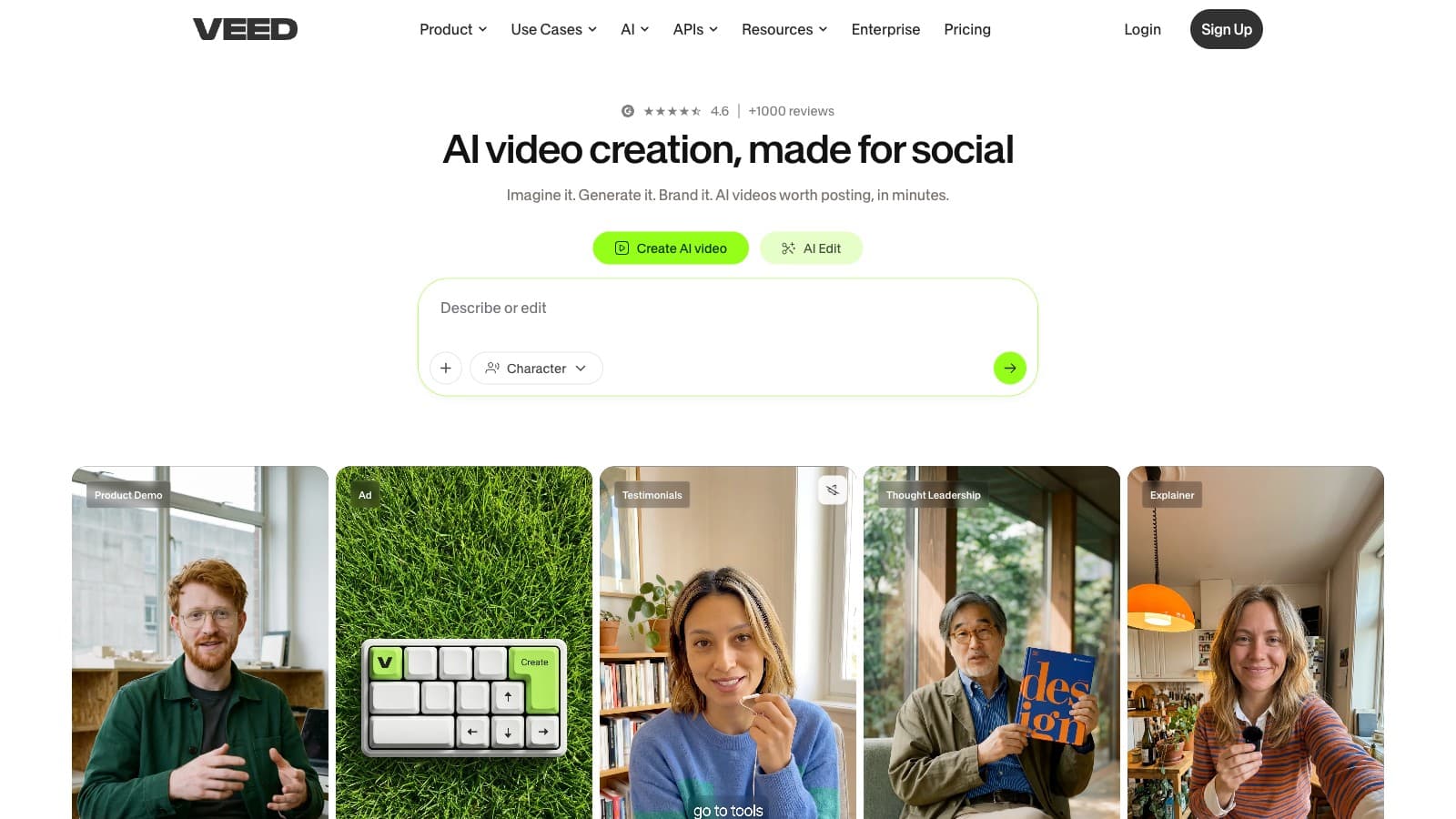
The pitch on their homepage is "Generate and edit in one workflow. Create talking heads, edit with AI, dub videos, and add subtitles — all in VEED." That is an accurate description of what you get. Six things live inside one browser tab:
- A timeline video editor. Trims, transitions, tracks, keyframes, the usual. Runs in the browser, exports up to 4K. 50GB storage, unlimited upload file size, 10-hour per-video max under fair use.
- Auto subtitles and subtitle styling. Unlimited on all paid tiers. Dynamic subtitles, download, dozens of styles. This is the feature that replaces Submagic Starter for most creators.
- Gen-AI Studio. Text-to-video and image-to-video against the current stack of frontier models — VEO 3.1, VEO 3.1 Fast, Sora 2, Sora 2 Pro, Kling O1, Seedance 1.0, MiniMax, Luma Ray, Hailuo, PixVerse, LTX, Wan 2.2. All metered out of one credit pool.
- AI avatars and voice. Stock social-media avatars, premium avatars, and custom avatars (Pro+). Voice clone and AI text-to-speech capped per tier in hours per year.
- AI video editing utilities. Clean Audio, Remove Filler Words, Remove Silences, Eye Contact correction, Background Removal, Beautifier, Auto-edits, and a Clips feature for long-to-shorts.
- Hosting, recording, and a mobile app. Screen and webcam recorder, video hosting with embeds and CTAs, iOS app. On higher tiers you get custom watermarks, branded video hosting, and analytics.
On paper this is a larger feature set than any single specialist. In practice, you will lean on two or three of these heavily and ignore the rest — and that is fine, because the price is still competitive against buying those two or three tools separately.
Pricing breakdown, with math
Here is every published tier, both billing modes:
| Tier | Monthly billing | Annual billing (effective /mo) | Annual upfront | Credits |
|---|---|---|---|---|
| Free | $0 | $0 | — | 0, watermark on exports |
| Creator | $20/mo | $10/mo | $116/yr | 500/mo or 6,000/yr |
| Pro | $44/mo | $21/mo | $257/yr | 2,500/mo or 30,000/yr |
| Studio | $70/mo | $35/mo | $414/yr | 15,000/mo or 180,000/yr |
| Enterprise | Custom | Custom | Negotiated | Custom |
Pricing is per editor seat. Add a teammate, add a seat, add a charge.
The big trap: monthly vs annual. Pro monthly is $44. Pro annual is $21/mo, billed $257 upfront. That is a 52% premium for the privilege of keeping your cash flow month-to-month. For a tool with no free trial on paid plans, this is aggressive — you are effectively being pushed into a yearly commitment before you know whether the credit math works for your content.
Run the creator math:
- Solo marketer, 4 short videos/week plus one dubbed Spanish version each month: Creator annual at $10/mo handles the videos and subtitles, but 30 min/mo of translation on Pro ($21/mo annual) is the real tier you need. Real cost: $21/mo, $257 up front.
- Small agency, 3 editors on Pro annual: 3 × $21/mo = $63/mo billed as $771/yr upfront. Each editor gets their own 30,000 credits/yr bucket. Expand past that and you are paying for seats you may not fully use.
- UGC ad volume — one avatar render per day, five short AI videos per week: Pro monthly at $44 with 2,500 credits will run tight if each render eats 30–40 credits. Studio monthly at $70 with 15,000 credits is the honest tier. Annual Studio is $35/mo if you commit — a genuinely cheap price for that credit bucket.
Monthly for the first month, annual after. Unless you know exactly how much credit you burn, subscribe monthly for one full cycle, measure, then upgrade to the annual plan. You will pay $44 instead of $21 for that first month. Treat it as the cost of not getting locked in blind.
Translations are the squeeze point. Pro monthly gives you 30 minutes of translations per month. Studio gives you 1 hour. If dubbing is a serious part of your workflow, budget for Studio or expect to pay overage in credits.
Where VEED is weak
No free trial on paid plans. The pricing FAQ is blunt: trials are offered only on Enterprise with a 3-user minimum. For a product that wants you to commit annually, that is a trust tax — you pay before you know if the credit bucket fits your usage.
The monthly-to-annual gap feels coercive. A 15–20% annual discount is standard. A 52% gap on Pro is pricing engineered to push you onto a yearly commitment. For creators whose income is lumpy or whose workflows change quarterly, this is a real cost.
Credit pricing is aggregate, not per-action. The pricing page shows estimates like "generate ~500 video clips" with 2,500 credits, but does not publish the cost of one VEO 3.1 render vs one Sora 2 Pro render vs one AI Twin. You can only measure by burning credits and watching your balance.
Per-seat pricing punishes small teams. A 3-person Pro team on annual billing is $63/mo effective, $771/yr upfront. If only one person is doing the avatar and generative work, you are paying for buckets the other two editors will not use.
Refund policy is buried. The FAQ answer for refunds is one sentence: "You can find our refund policy on our Terms of Sale page." For a tool billed upfront annually, that is unusually terse. Check the Terms of Sale page before you pay.
Specialist tools still win in their lane. Captions on VEED are fine. Submagic's are tighter. Clips on VEED are fine. Opus Clip picks better moments. Dubbing on VEED is fine. ElevenLabs' voice cloning is cleaner. VEED's bundle is the value proposition — not best-in-class output in any single axis.
Alternatives worth considering
- Descript — if your work is podcast or talking-head editing, Descript's transcript-first workflow is still unmatched and broadly cheaper for what it is best at. VEED's editor feels shallower when you want timeline precision.
- Submagic — if brand-tuned captions on short-form clips are the core job. Submagic Starter at $19/mo gives you more font, color, and animation control than VEED's subtitle styling.
- Opus Clip — if long-form to shorts is the whole workflow. Opus Clip Pro at $29/mo picks more compelling clips than VEED's Clips feature and costs less if that is all you need.
- Captions — if AI actors and mobile-first editing are the only reason you are considering VEED. Captions Max at $24.99/mo is a tighter, cheaper AI-avatar-first tool if dubbing and translations are not part of your workflow.
- CapCut + free VEED — honest alternative. Edit in CapCut, use VEED Free for the occasional avatar test, upgrade only when you are actually shipping AI-heavy content weekly.
Bottom line
VEED is the bundle that works. If you were already paying for an editor plus a caption tool plus a generative video tool plus a dubbing tool, consolidating into VEED Creator or Pro will save you money and reduce the mental tax of running five subscriptions. The Creator annual tier at $10/mo effective is the sharpest price in the bundled-AI-editor category.
The catches are real. No trial on paid plans. A 52% premium for monthly billing. Per-seat pricing. Translations squeeze on Pro. Specialist tools still beat VEED in their own lanes. If any of those are dealbreakers, pick the specialist and move on.
The move we would recommend: start on Creator monthly or Pro monthly for one full billing cycle, use the credit bucket hard, and only commit to annual after you have measured whether the tier fits. The extra $20–$25 you pay that first month buys you honest data before locking in $257 upfront.
Visit veed.io → (no affiliate — direct link)
FAQ
Does VEED offer a free trial on Creator, Pro, or Studio? No. The pricing page states trials are offered only on Enterprise, with a 3-user minimum. Individual creators subscribe monthly (or annually) and cancel through the dashboard if it does not fit.
Can I cancel VEED anytime? Yes. Go to your dashboard, open Team Billing in the top-left dropdown, and click Turn off auto-renewal. You keep access to paid features until the end of the current billing cycle. Annual plans do not pro-rate refunds once the period has started.
What is the actual difference between Creator, Pro, and Studio? Creator is solo, watermark-free, capped at 5 Gen-AI Studio videos/day with 500 credits/mo (or 6,000/yr). Pro unlocks multiple brand kits, unlimited Gen-AI Studio videos, custom avatars, 30 min/mo of translations, 12 hr/mo of AI voice, and 2,500 credits/mo. Studio adds project analytics, custom templates, 1 hr/mo of translations, 80 hr/mo of AI voice, and 15,000 credits/mo. All per-editor seats.
Is there a long-to-shorts clipper in VEED? Yes, the Clips feature. It generates short-form cuts from a long-form upload. For pure long-to-shorts workflows, Opus Clip still picks more interesting moments. VEED Clips is adequate if clipping is one of several things you do, not your main job.
What AI models does VEED Gen-AI Studio support? Per the homepage and pricing page: VEO 3.1, VEO 3.1 Fast, Sora 2, Sora 2 Pro, Kling O1, Seedance 1.0, MiniMax 2.3, Hailuo 02, Luma Ray, PixVerse, LTX Video, Wan 2.2, plus VEED's own Fabric 1.0. Access to all models is included on Studio and above; Creator and Pro access a subset.
How does VEED charge teams? Per editor seat. The plan price is multiplied by the number of editors in your workspace, and you are charged when you invite a new editor. Pro lists "up to 3 editors" in the comparison table — that is the cap, not an included-seats count. Budget accordingly if multiple people will edit.
Common questions
Questions people ask.
- Is VEED worth it at the monthly price?
- Only if you can't commit to a year. Creator jumps from $10/mo annual to $20/mo monthly, and Pro goes from $21 to $44 — a 52% gap. VEED's bundle math only beats stacking Descript, Submagic and Opus Clip when you take the annual rate. Pay monthly and you're overpaying for a category where specialists undercut you.
- Can VEED replace Descript and Opus Clip in one subscription?
- Partially. VEED's editor plus Clips feature plus unlimited subtitles covers the most common jobs, but Descript's transcript editor and Overdub are still deeper for podcasters, and Opus Clip picks sharper hooks from long-form. If you already pay for either one and use it seriously, VEED is a downgrade on that axis. If you don't, VEED's single invoice can save real money.
- How is VEED's AI avatar and Gen-AI Studio credit pool metered?
- One shared credit pool across VEO 3.1, Sora 2, Kling, Seedance, MiniMax and the rest. Pro and above get unlimited Gen-AI Studio usage under fair-use, plus unlimited AI image generation. Voice clone and text-to-speech are capped in hours per year, not credits. The gotcha: fair-use language isn't quantified publicly, so burn-rate only becomes visible once you're in.
- Does VEED offer a free tier to test before paying?
- Yes — a free plan with watermarked exports, limited storage and no access to Gen-AI Studio or premium avatars. It's enough to test the timeline editor and auto-subtitles UX, but not enough to evaluate whether the bundle actually replaces your stack. The only way to test avatars and AI video is to pay for at least one month of Creator.
- How does VEED compare to Descript for a podcast-first workflow?
- Descript wins for audio-led long-form. Its transcript editor is deeper, Overdub voice cloning isn't in VEED, and the podcast-export paths are more mature. VEED wins if you're already recording talking-head video, want to generate avatars, dub into other languages, and publish a vertical cutdown — all in one place. Pick VEED for video-first workflows, Descript for audio-first ones.
Enjoyed this review?
New reviews every week.
Tool deep-dives, head-to-head tests, pricing math. No spam.
Subscribe to CreatorStack