Review · 11 min read
Captions Review: The cheapest caption app, until you want the AI features
Captions starts at $9.99/mo — the lowest real entry price in the category. Here's where the credit system eats the savings and when AI Twin is worth the jump.
- Our rating
- 3.5
- Published
Disclosure: Some links below are affiliate links. If you sign up through one we may earn a commission — at no extra cost to you. We'd write the same review without them.
We earn a commission if you sign up through our links. It doesn't change what we write — we'd tell you the same thing either way.
TL;DR
- Who it's for: phone-first short-form creators who shoot vertical on an iPhone, post to TikTok and Reels the same day, and want AI-generated avatars or B-roll without learning a timeline.
- Pricing: Free (watermarked, 1 caption template), Pro $9.99/mo (captions only, no AI credits), Max $24.99/mo (the real creator default), Scale $69.99 / $139.99 / $279.99 for higher credit caps, Enterprise custom.
- Best feature: AI Twin. Train a digital clone of yourself from a selfie and generate talking-head videos without filming. Nothing in the captioning category bundles this at a comparable price.
- Biggest weakness: credit economics are a black box. Max's 500 credits/mo sounds generous until you realize the page never tells you what one AI Twin render, one AI Lipdub, or one generated B-roll clip actually costs.
- Our pick: skip Pro — it's a captions-only tier with zero AI credits and the savings vs Submagic are not worth it. Go straight to Max if you want the AI features; skip the app entirely if your workflow is long-form-to-shorts clipping (that's Opus Clip's job).
Who should use Captions
The phone-first UGC creator. You shoot vertical on an iPhone, edit between Ubers, and publish before you get home. Captions is the only mainstream tool in this category that treats mobile as the primary surface, not a compromise. The whole pricing page carries a footnote — "Features and prices reflect iOS plans only" — that tells you exactly where the product lives.
The ad creator who needs AI actors. You're running UGC-style ads and you want variations: same script, different face, different outfit, different backdrop. AI Twin and AI actors are the reason to pay for Max. The closest competitor that bundles this is HeyGen, and HeyGen starts at a higher price for a desktop-first editor.
The creator who refuses to learn a timeline. Chat-based editing lets you say "cut the first 10 seconds, add a zoom on the second beat, put a sound effect on the punchline" and the app does it. For creators who treat video editing as a tax, this matters more than any feature spec sheet will admit.
Skip Captions if: you publish long-form podcasts or YouTube talking-head videos longer than a few minutes. Captions is not a long-form editor and does not auto-clip long videos into shorts. For that workflow, Opus Clip or Descript is the right tool. For pure caption polish on clips you already cut in CapCut, Submagic has far deeper caption customization.
What Captions actually does
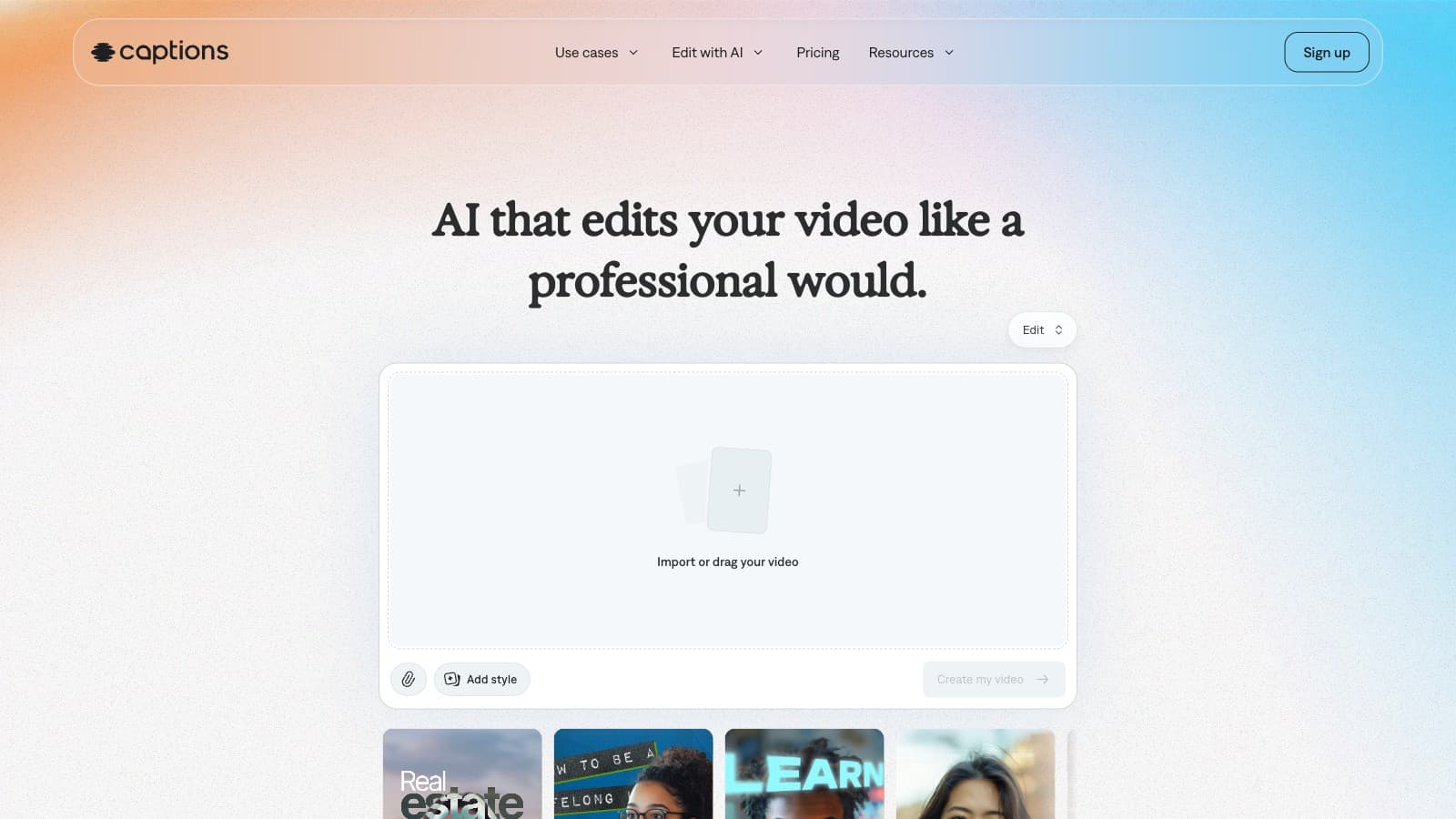
The app sells itself as "AI that edits your video like a professional would." The product is wider than that positioning suggests. Four distinct jobs live inside one app:
- Captions on existing footage. The original product. Upload a clip, get burned-in animated captions in 100+ languages, with word-level timing. On Pro and above you get 100+ caption templates and full styling control. This is the one feature that works well on the $9.99 tier.
- AI Edit. Hand over raw footage and the app cuts it, adds B-roll, adds sound effects, and returns a finished piece. This is where the generative-AI credits start burning.
- AI Creator / AI Ads / AI Skits. Type a prompt, get a fully generated talking-head video. No filming required. Useful for A/B testing ad variations at volume.
- AI Twin + AI actors. Train a digital clone from a selfie or pick a stock generative presenter. Swap outfits, backgrounds, product placements. This is the feature that justifies the app over pure-caption tools if you're in the ad/UGC lane.
There's also a stack of supporting features: AI Translate with AI Lipdub (translated dubs with mouth-sync), AI Voice Clone, AI Denoise, AI Voiceover, AI Censor, Reddit-to-Reel link-to-video, and a full bag of traditional edits (trim, zoom, transitions, sound effects, teleprompter). On paper, this is a bigger feature set than any single competitor. In practice, most creators use two or three of these.
Pricing breakdown, with math
Here's every tier the pricing page surfaces, reproduced as published:
| Tier | Monthly (iOS) | Credits/mo | What you actually get |
|---|---|---|---|
| Free | $0 | 0 | Watermark on exports, 1 caption template, basic trim/zoom. A trial. |
| Pro | $9.99 | 0 | Captions in 100+ languages, 100+ templates, watermark-free. No AI credits. |
| Max | $24.99 | 500 | Everything in Pro + AI Twin + AI actors + chat editor + generative B-roll. The real creator default. |
| Scale | $69.99 | 1,400 | Access to "most sophisticated" generative models. 1x usage. |
| Scale 2x | $139.99 | 2,800 | Same features as Scale. 2x usage. |
| Scale 4x | $279.99 | 5,600 | Same features as Scale. 4x usage. |
| Enterprise | Custom | Negotiated | SOC 2 controls, branded templates, training-data exclusion, dedicated CSM. |
Pro is almost a trap. At $9.99 it's the cheapest watermark-free caption tier on the market. Cheaper than Submagic Starter ($19/mo). Cheaper than anything real. But it has zero generative-AI credits, so every screen in the app promoting AI Twin, AI Edit, AI Actors, AI Lipdub, and AI Shorts is locked. The value prop collapses to pure captions, and if that's all you need, Submagic still gives you better caption customization for the extra $9.
The real decision is Max vs everything else. At $24.99/mo you get 500 credits. The gotcha: the pricing page does not publish what one action costs. No line item for "1 AI Twin render = X credits," no line for "1 minute of AI-generated video = Y credits." You're buying a bag of currency without an exchange rate. Run the math on a realistic creator week and you have to test by burning the credits:
- 1 AI Twin video/day × 30 days = unknown. If each twin render costs more than ~15 credits, you run out in week 3.
- 4 AI Ads variations × 4 weeks = 16 generations. If each costs ~30 credits, you're at 480 and you haven't touched B-roll, music, or voice clone.
Until you know the per-action price, budget for a month on Max and track credit burn. If you blow through 500 in week 2, Scale at $69.99 is the next honest tier — not a small jump from $24.99.
No annual pricing on the pricing page. The FAQ says yearly plans exist at a discount but the actual discount isn't displayed. You have to click into the App Store signup flow to see the annual rate. This is unusual for a creator SaaS in 2026 and worth flagging before you commit.
Scale 4x at $279.99/mo is an aggressive ceiling. For a creator, this is agency-level spend. No multi-seat support is advertised at this tier; multi-seat is an Enterprise feature. If you're hitting 5,600 credits of monthly usage, you're probably better off negotiating Enterprise.
Where Captions is weak
Credit pricing is opaque. The single biggest complaint creators raise. "500 credits" is not a unit until you know what it buys. Pro with zero credits and Max with 500 are the only two tiers where a solo creator can even evaluate fit, and Max's cost-per-action is invisible until after you subscribe.
The pricing page says iOS-only. Verbatim footnote: "Features and prices reflect iOS plans only." The Captions web editor exists, but the feature-comparison table on the pricing page compares Free / Pro / Max / Scale against each other — not web vs mobile. If you're planning to edit primarily on a laptop, you're buying based on a spec sheet that doesn't fully apply to your surface.
Pro tier has zero generative credits. The $9.99 tier is not a Max-lite. It's a separate product — captions only. Treat the Pro-to-Max jump as a forced upsell the moment you want any AI feature, not as an incremental upgrade.
Not a long-form tool. No auto long-to-shorts clipper. No transcript-first editor. If your source material is a 45-minute podcast, Captions is the wrong app. Opus Clip owns the auto-clipping category; Descript owns the transcript-first workflow.
AI Twin has the usual AI-avatar tell. On static shots and short clips the twin is convincing. On longer holds, emotional range, or complex gestures, the limitations of 2026-era generative video show up. Treat Twin as a tool for short ad variations and link-in-bio explainer loops, not long-form content.
No discoverable affiliate program. We checked /affiliates on their domain; it returns a near-empty page. CreatorStack is not monetizing this review — we're linking to Captions directly because there's no affiliate destination to route through.
Alternatives worth considering
- Submagic — better pure caption customization. If your job is captions and nothing else, Submagic Starter ($19/mo) gives you more font/color/brand control than Captions Pro ($9.99). You pay $9 more for features that actually differentiate.
- Opus Clip — if your source is long-form and you need Shorts output, Opus Clip Pro at $29/mo is the direct replacement. Captions has no equivalent auto-clipper.
- Descript — for podcasters and talking-head YouTubers whose edit is mostly cutting filler words and tightening rambles. Different job; not a Captions replacement so much as a different category.
- HeyGen — if AI Twin is the specific reason you're considering Captions, HeyGen is the closer head-to-head. HeyGen is desktop-first, higher priced, and more focused on the avatar output.
- CapCut built-in captions — free, decent for basic subtitling, limited styling. Adequate if you only need captions and don't care about brand consistency.
Bottom line
Captions is two products in a trench coat. At $9.99, Pro is the cheapest watermark-free caption tier on the market but skimps on the features its own marketing emphasizes. At $24.99, Max is a credible AI video tool with AI Twin as the distinctive reason to pay.
Pick Max if AI actors, chat-based editing, or ad-variation generation is the job. Skip Pro unless captions on short-form clips is the entire workflow — in which case Submagic is a stronger tier-for-tier choice at $19/mo. Skip the product entirely if your source is long-form video; that's not what this app is built for.
The one move we'd recommend against is paying for a full year upfront based only on the pricing page. Annual pricing isn't surfaced, credit burn rate isn't published, and the Pro-vs-Max decision changes completely once you've used the app for a week. Subscribe monthly, test, decide.
Learn more at captions.ai.
FAQ
Is Captions iOS-only? The mobile app started on iOS and Android exists, but the published pricing page explicitly notes: "Features and prices reflect iOS plans only." A web editor exists at Captions on Web but the feature-comparison table is framed around the iOS plans. If you plan to work primarily on web or Android, verify feature parity inside the app before subscribing.
What does a credit actually buy on Max and Scale? The pricing page does not publish a per-action credit cost. Max includes 500 credits/mo and lists the feature categories (AI video, B-roll, music, sound effects, images) that consume them, but not the cost of each action. You have to measure it in your first billing cycle.
Can I cancel Captions anytime? Yes. Because subscriptions are billed through the App Store (iOS) or Google Play (Android), cancellation flows through your Apple ID or Google account, not the app itself. Monthly plans remain active through the end of the billing cycle; yearly plans do not pro-rate refunds once the period has started.
Is AI Twin safe for client work and brand partnerships? Legally, you own the model trained on your own likeness. Ethically, disclose AI-generated content when you use it in paid or sponsored posts — many platforms now require this label. Captions for Enterprise adds training-data exclusion if you're uploading footage you don't want used in future model training.
How does Captions compare to Submagic for caption customization? Submagic has deeper caption styling — more templates, tighter brand presets, better font/color control. Captions Pro at $9.99 is cheaper than Submagic Starter at $19 but gives you less fine control. For captions-only creators who care about brand consistency, Submagic wins on customization. For creators who also want AI actors and generative video, Captions Max is the broader tool.
Does Captions integrate with Premiere, Final Cut, or CapCut? There is no NLE plugin. Exports are MP4 files you import into any editor. Captions is designed to be a destination app rather than a plugin to an existing timeline.
Common questions
Questions people ask.
- Is Captions Pro at $9.99/mo actually worth it?
- Only if pure captions are the entire job. Pro gets you 100+ templates, 100+ languages and watermark-free exports — but zero AI credits, so AI Twin, AI Edit, generative B-roll and Lipdub all stay locked. For an extra $9, Submagic Starter at $19 gives you deeper caption customization and better brand-matching, which is why we call Pro almost a trap.
- Can Captions clip long podcasts into shorts?
- No — Captions doesn't do long-form-to-shorts auto-clipping. It's a mobile-first caption and AI-actor tool, not a clipper. If your source is a 45-minute podcast or YouTube upload and you want vertical clips out, use Opus Clip or Vidyo.ai. Captions expects you to bring already-short footage or generate it from scratch with AI Twin.
- How does Captions compare to Submagic?
- Different jobs. Submagic wins on caption polish, brand-consistency and template depth for creators editing in CapCut or Premiere. Captions wins on phone-first workflow, chat-based editing and AI Twin at $24.99. If your whole edit lives on an iPhone and you want generative avatars, pick Captions Max. If you care about brand-matched captions, Submagic Pro is the stronger tool.
- Does Captions have a free plan?
- Yes, but it's a trial shape. You get watermarked exports, one caption template and basic trim/zoom — no AI credits. It's enough to test the mobile UX and see whether chat-based editing fits you, but you can't publish watermark-free until you hit Pro at $9.99 or Max at $24.99.
- What does one AI Twin render actually cost in credits?
- Captions doesn't publish per-action credit pricing. Max gives you 500 credits/month, but the pricing page never says how many credits an AI Twin video, an AI Lipdub or a generated B-roll clip burns. The honest answer is you have to buy Max, track credit drain for a month, and decide whether to stay or jump to Scale at $69.99.
Enjoyed this review?
New reviews every week.
Tool deep-dives, head-to-head tests, pricing math. No spam.
Subscribe to CreatorStack