How to · 10 min read
How to Reduce Your AI Creator Tool Spend to Under $50/Month: An Honest Audit
Working creator spending $100-300/mo on AI SaaS? Here's the honest audit — cancel, downgrade, and replace bundled tools with specialists to land under $50.
- Difficulty
- intermediate
- Time needed
- 1h 30min
- Published
Disclosure: Some tool links below are affiliate links. If you sign up through one we may earn a commission — at no extra cost to you. We'd recommend the same tools either way.
We earn a commission if you sign up through some of our affiliate links. It doesn't change what we write — the whole point of this guide is to help you spend less, not more.
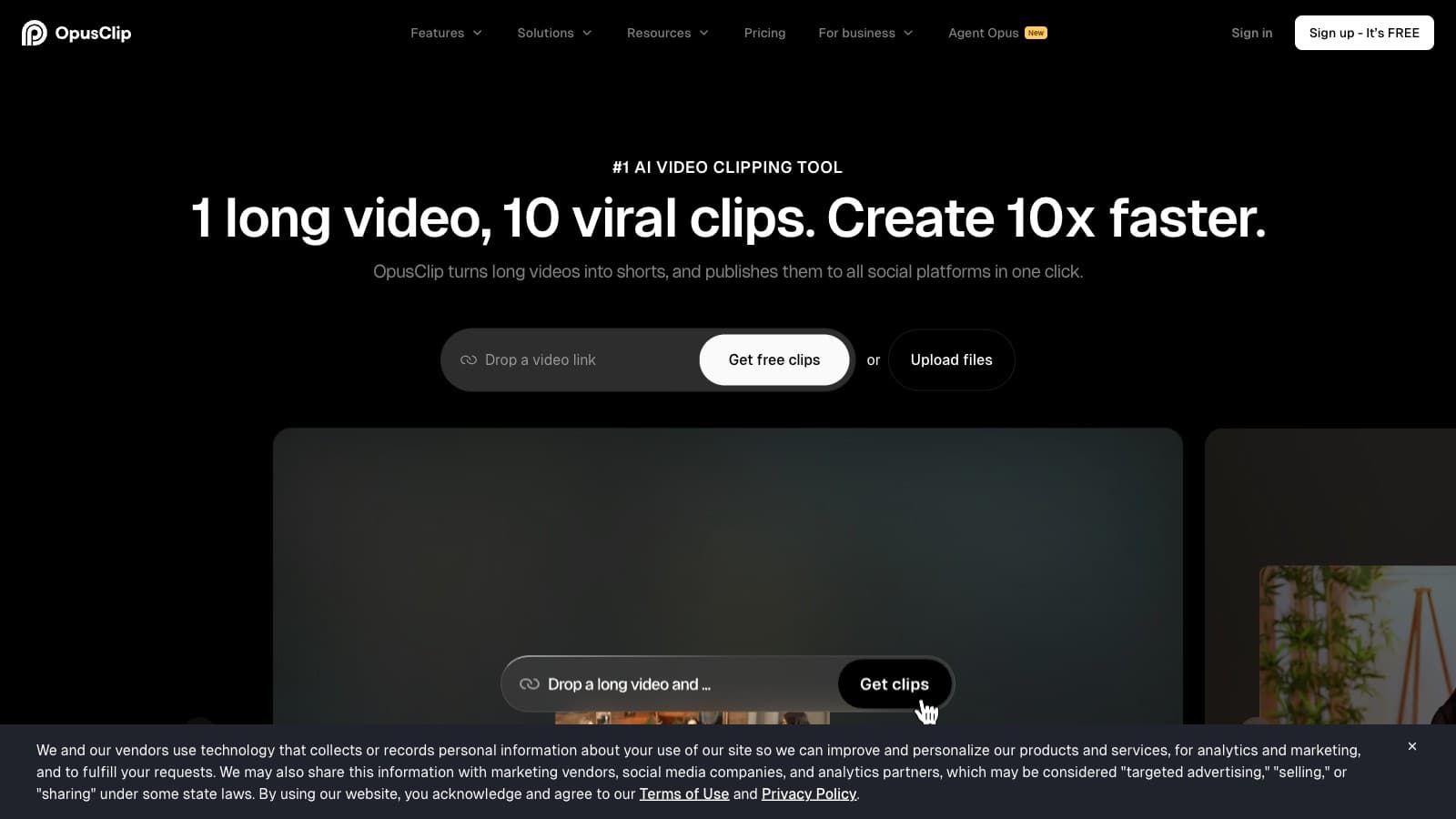
If you're a working creator, your card statement probably tells a story you don't love. Opus Clip $29. Submagic $39. Descript $35. ChatGPT Plus $20. Riverside $24. A thumbnail tool you forgot about at $15. Somewhere between $120 and $300 a month vanishes into AI SaaS, and your output didn't double to match.
Most reviews (ours included, when we're not careful) quietly push you toward spending more — more seats, more credits, more add-ons. This guide does the opposite. Honest audit, real usage math, a stack that does the same work for under $50/month.
Who this is for
A working creator — YouTuber, podcaster, short-form operator, faceless channel, or small agency — currently paying $100-300/month on AI SaaS and suspecting they're overspending. If you're pre-revenue and spending $40/mo total, this guide isn't for you. If you run a team of 5 editors, you genuinely need the Business tiers — skip this one too.
What you'll need
- 30 minutes to export 3 months of credit/debit card statements
- Access to every SaaS account you've signed up for (password manager helps)
- A spreadsheet (Google Sheets or Notion is fine)
- Honest numbers on your actual monthly output (videos exported, podcast episodes clipped, hours edited)
- Willingness to cancel things even if you "might need it later"
The steps
1. Pull 3 months of statements and filter for SaaS
Export CSVs from your bank, Stripe, PayPal, and Apple/Google subscriptions. In your spreadsheet, filter for anything recurring. Sort by merchant. You're looking for the long tail — the $9.99 ghost subscriptions you signed up for during a free trial and forgot.
Expected output: a list of every recurring AI/creator SaaS charge from the last 90 days, with the monthly cost and the annual equivalent.
Common failure mode: checking only your primary card and missing Apple subscriptions or an old PayPal. If a line says "APPLE.COM/BILL," open App Store → account → subscriptions. Most creators find 1-2 forgotten $10-20 subs this way.
2. Classify every subscription: must-have, nice-to-have, or cancel
Next to each tool, write one of three labels: must-have (you used it in the last 7 days and it produced something that shipped), nice-to-have (used in the last 30 days but not essential), or cancel (you can't remember the last time you logged in).
Expected output: a three-bucket list. For most creators we've audited, the split ends up roughly 40% must-have, 30% nice-to-have, 30% cancel.
Common failure mode: calling something "must-have" because you pay for it, not because you use it. If you use a tool once a month, it's not must-have — it's a sunk-cost bias wrapped in a $29 charge. The rule: would you sign up for it again today if you were starting fresh? If no, it goes in cancel.
3. Replace bundled tools with specialists
This is where the math gets interesting. SaaS companies love selling you bundles. The bundle premium is usually 30-50%.
Two concrete examples:
- Captions/clipping bundle trap: Submagic's "Starter + Magic Clips" tier costs $38/month (both captioning and long-form clipping). If you need both, Opus Clip Pro ($29) + Submagic Starter ($19) = $48/month but gives you 300 credits of clipping and 40 videos of captioning. If you only need one, pay $19 or $29, not $38+.
- All-in-one vs specialist: Munch Essential is $48/mo for clipping + captions + scheduling + planning. Opus Clip alone at $29 handles clipping + basic captions for most solo creators; skip the scheduler if you're publishing 3-5 clips/week (10 min manually).
Expected output: a revised shortlist where each job (clipping, captions, transcription, editing) has exactly one tool attached, not two.
Common failure mode: thinking you need the "Pro" or "Premium" tier because the feature list is longer. Read the feature deltas honestly — most upgrades add team seats, API access, or priority rendering, none of which a solo creator uses.
4. Downgrade where your usage doesn't hit the cap
Pull up each "must-have" tool's billing page and find your usage. This is the most skipped step and the highest-leverage one.
Concrete math:
- Opus Clip Pro gives you 300 credits/month. If you upload 2 long-form videos of 30 minutes each per week, that's 240 credits — but if you only upload once a week or record 20-minute pods, 150 credits (Starter, $15/mo) is plenty.
- Descript Creator is $35/mo for 30 hours of transcription. If you record one 60-minute podcast a week, that's 4 hours/month. Hobbyist ($24/mo, 10 hours) is correct for you. $132/year saved.
- Submagic Pro at $39/mo gives you 150 videos and 15-min max length. If you ship 20-30 shorts a month, Starter at $19/mo (40 videos, 5-min max) fits comfortably.
Expected output: 2-3 tools where you move one tier down without losing capability you actually use.
Common failure mode: fear of hitting the cap. Downgrade anyway, track usage for one month, only upgrade when you've blown the quota twice in a row.
5. Annual on the ones you're certain about, monthly on the rest
Annual billing saves 20-40% on most creator tools, but it also locks you in. Our rule: go annual only on tools you've used consistently for 6+ months. Everything else stays monthly.
Good annual candidates if you use them daily: Descript (saves ~$96/yr on Creator), Opus Clip (saves ~$120/yr on Pro), Gling (saves 50% — Plus is $10/mo annual vs $20 monthly).
Keep monthly until proven: Captions.ai Max ($24.99/mo — AI actors features are still evolving), any brand-new tool you tried in the last 30 days, anything with pricing-page churn.
Expected output: a list of 2-3 annual commits and the rest on monthly.
Common failure mode: going annual on everything to "save money" and then sitting on a $288 Descript subscription you stopped using in month 3. The savings only work if you'd have kept paying anyway.
6. Reinvest the savings — or just keep them
Cut from $200/mo to $45/mo and that's $1,860/year back. Options, ranked by compounding value:
- Keep the money. Boring answer, best answer. Cash runway is the real moat.
- Upgrade your mic or camera. A $150 Shure MV7 does more for retention than any AI SaaS.
- Buy one premium human service per quarter — a thumbnail designer, pro audio cleanup, custom intro.
What we'd avoid: immediately re-spending it on more AI tools. The whole point was to stop that cycle.
Sample under-$50 stacks
Solo YouTuber (long-form + weekly shorts):
- Opus Clip Starter — $15/mo (or free tier if you can tolerate watermark)
- Gling Plus annual — $10/mo (silence and filler-word cutting)
- ChatGPT Plus — $20/mo
- Total: ~$45/mo
Weekly podcaster (1 episode/week, clips + show notes):
- Descript Hobbyist annual — $16/mo
- Opus Clip Starter — $15/mo
- ChatGPT Plus — $20/mo (show notes, social copy)
- Total: ~$51/mo (or $31/mo if you skip ChatGPT Plus and use free-tier Claude/Gemini)
Faceless-channel operator (3-5 videos/week, heavy captioning):
- Submagic Starter — $19/mo
- Opus Clip Starter — $15/mo
- ElevenLabs Starter — $5/mo (if you need TTS)
- ChatGPT Plus — $20/mo
- Total: ~$49/mo with TTS, $39/mo without
Small agency (2-3 clients, clipping-heavy):
- Opus Clip Pro annual — $19/mo
- Submagic Pro (shared) — ~$30/mo annual equivalent
- Descript Creator annual — $24/mo
- Total: ~$73/mo — above $50 but you're billing clients. Still 40% cheaper than all-in-one bundles.
Tools worth the subscription vs tools to skip
Worth it at specific usage:
- Opus Clip — if you publish 2+ clips/week
- Submagic — if captions are your main bottleneck and you're not already editing in CapCut
- Descript — if you podcast weekly and edit by transcript
- Gling — if you film talking-head and spend hours cutting silence in Premiere
- Captions.ai — Pro tier ($9.99/mo) is great value for caption styling on mobile; skip Max unless AI actors are core to your workflow
Skip unless you're at a specific tier:
- Pictory — too niche (text-to-video stock montage). If you're not making faceless stock-footage content, you don't need this.
- Munch — too expensive for clipping alone ($48/mo). Only worth it if you genuinely use the planner + scheduler and can't be bothered to use Buffer/Metricool.
- Veed — great browser editor, but at $24/mo Pro you're paying for convenience that CapCut does for free.
If this works, what's next
- Pick an AI clipper without overpaying — deeper dive on the clipping category specifically.
- Opus Clip vs Submagic head-to-head — the key comparison for anyone trying to decide between the two big ones.
- Browse the full tool index sorted by rating and entry price.
Honest caveat
This guide assumes you're a solo or near-solo creator. Teams of 5+ should stay on bundled Business tiers — stacking 5 specialist subs gets worse fast. If you're monetizing at $10K+/month, optimizing from $200 to $45 is pennies; your time is the constraint. We also don't cover non-AI SaaS (Notion, ConvertKit, Buffer) — separate audit, different dynamics.
Tools we recommend
- Opus Clip — best value clipper at Starter ($15/mo) and Pro ($29/mo). The tool you downgrade to, not from.
- Submagic — Starter tier ($19/mo) is the sweet spot. Skip the Magic Clips add-on unless you do zero long-form clipping elsewhere.
- Descript — podcasters should be on Hobbyist ($16/mo annual) unless they record 20+ hours/month.
- Gling — if filler-word cutting is your time sink, Plus annual at $10/mo pays for itself in week one.
Read the full reviews before you commit. The tool index has everything ranked side by side.
FAQ
How often should I re-audit my stack? Every 90 days. Pricing changes, new tools launch, and your workflow shifts. A quarterly 30-minute check-in catches the drift before it hits $200/month again.
Is it worth cancelling annual plans mid-cycle? No. Ride out the annual commit, but set a calendar reminder 7 days before renewal and re-evaluate then. Most creators miss the renewal window and auto-renew something they meant to cancel.
What about free tiers — are they a real option? For some tools, yes. Opus Clip free tier is usable if you can live with a watermark on non-monetized content. Captions.ai free tier is worth using for one-off projects. But free tiers on Descript, Submagic, and Gling are trial-shaped, not workflow-shaped — don't build a pipeline around them.
I use ChatGPT Plus heavily. Is $20/mo worth it? If you use it daily for scripts, outlines, or research: yes. If you use it 2-3 times a week, switch to Claude free tier or Gemini free tier and save the $20. Test the swap for two weeks before cancelling.
What if my output drops after downgrading? Give it 30 days. Most creators find output stays flat because the "missing" features were ones they never used. If it genuinely drops, upgrade back — but pay for the specific feature that mattered, not the whole bundle.
Common questions
Questions people ask.
- How long does this audit actually take?
- About 90 minutes the first time: 30 minutes exporting 3 months of statements and pulling Apple/PayPal subs, 30 minutes classifying each tool as must-have / nice-to-have / cancel, 30 minutes cancelling and downgrading. Re-run it every quarter in about 20 minutes. Creators we've audited typically free up $60–$180/mo on the first pass.
- Can I really get a working creator stack under $50/month?
- Yes, for solo short-form output: Opus Clip Pro ($19 annual) plus CapCut (free) plus ChatGPT free tier plus Canva Pro ($13 annual) lands at $32/mo. Plus Submagic Starter annual ($15) for caption polish puts you at $47. It works if you publish 1–3 shorts per week from long-form. It breaks if you run multi-seat teams or need Descript-level transcript editing.
- What do I actually need to start auditing?
- Three months of card statements exported as CSV, access to every SaaS account you've signed up for — password manager helps — a Google Sheet or Notion page, and honest numbers on your monthly output. That last one matters most: if you don't know how many videos you export or podcast episodes you clip, you can't tell which subscription is pulling weight.
- Will cancelling tools hurt my output?
- Only if you cancel must-haves, which is why the step-2 classification is the whole game. The rule we apply: would you sign up for this tool again today if you were starting fresh? If no, cancel it — even if you 'might need it later.' Most creators over-rate optionality and under-rate the monthly drag. Re-subscribing later if needed costs nothing.
- What's the biggest mistake creators make when cutting AI tool spend?
- Keeping the 'Pro' tier because the feature list is longer. Ninety percent of Pro-tier upgrades add team seats, API access, or priority rendering — none of which a solo creator touches. Read feature deltas honestly and downgrade to Starter or Basic on anything where your actual usage sits under the lower cap. That single move usually clears 30–40% of the bill.
Get more guides.
Subscribe to CreatorStack.
Join the listKeep reading
- Review
Captions Review: The cheapest caption app, until you want the AI features
- Review
Descript Review: The transcript-first editor earning its cult following
- Review
Gling Review: The silence-cutter that hands the timeline back to Premiere
- Review
Opus Clip Review: Fastest auto-clipper, at the cost of a generic look