Review · 11 min read

Riverside Review: The remote recording studio your guests actually survive

Riverside records each podcast guest locally in the browser at 4K and 48 kHz. Here's the real hour math, where guests still fail, and who should pay for Pro.

Our rating
4.0
Published
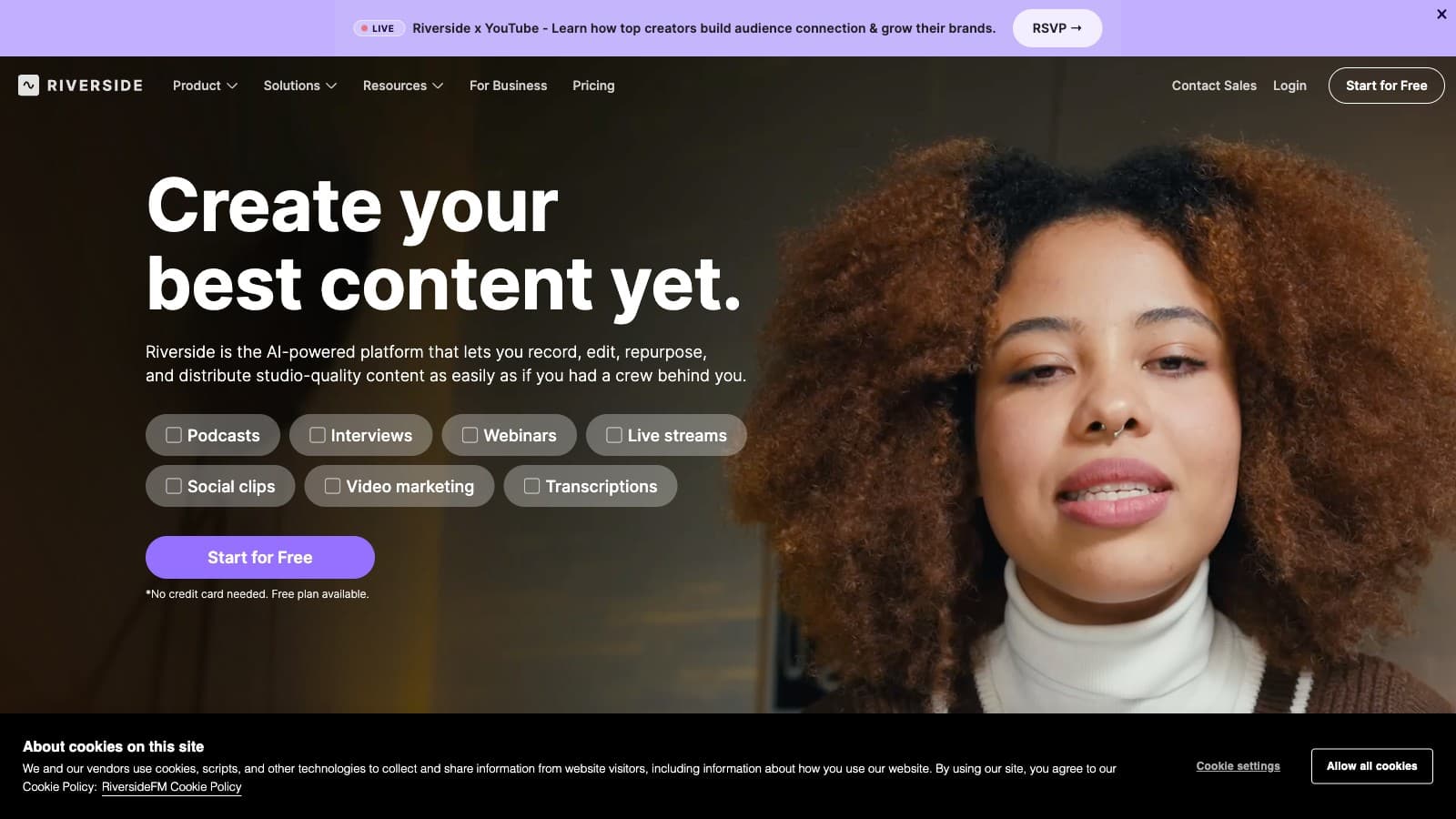
Riverside Review: The remote recording studio your guests actually survive landing page screenshot
Screenshot — Riverside Review: The remote recording studio your guests actually survive landing page screenshot

Disclosure: Some links below are affiliate links. If you sign up through one we may earn a commission — at no extra cost to you. We'd write the same review without them.

We earn a commission if you sign up through our links. It doesn't change what we write — we'd tell you the same thing either way.

TL;DR

  • Who it's for: remote podcasters, interview-format YouTubers, and founder-led shows recording 1–4 people at a time over the internet.
  • Pricing: Free (2 hours total, watermarked), Standard $29/mo ($24 annual), Pro $39/mo ($34 annual) is the honest default, Business $99/mo ($79 annual), Enterprise custom.
  • Best feature: local recording in the browser. Each participant's track is captured on their own machine at up to 4K and 48 kHz and uploads in the background, so a wobbly Wi-Fi signal doesn't show up in the final file.
  • Biggest weakness: local recording pushes operational risk onto the guest. Close the tab before upload finishes, lose disk space, or crash the browser, and that track is at risk. This is the single most common real complaint about the tool.
  • Our pick: if you record 1 or more guest interviews per week, pay for Pro annually. Standard's 5 hours/month runs out faster than you think.

Who should use Riverside

Three profiles get clean value from Riverside, and one profile should keep walking.

The weekly remote podcaster. You interview a guest per week over the internet, and your nightmare scenarios are Zoom-quality audio and dropped recordings halfway through. Riverside solves both in the same feature: local-record-first with progressive upload. A 60-minute interview with one guest costs you 1 hour off your monthly cap, not 2, because Riverside counts session wall-time, not per-participant time.

The interview-format YouTuber. You publish long-form sit-down interviews, and the video quality matters as much as the audio. Riverside captures each participant at up to 4K / 48 kHz on every paid tier. Zoom-recorded footage at 720p with compression artifacts was never going to cut it on a modern YouTube channel.

The founder or exec-led show. You care about audio and video fidelity because the brand is your face, but you do not want to run a Logic Pro session and a Premiere timeline to hit publish. Riverside's transcript-based editor gets you to a reasonable first cut without another piece of software.

Skip Riverside if: your main job is long-form to Shorts clipping with no recording component, or you already record in person and just need post-production. For the first case, Opus Clip is the right tool — Riverside's Magic Clips is bundled but it is not the best clipper on the market. For the second case, Descript has the deeper post-production editor including Overdub voice cloning that Riverside does not offer.

What Riverside actually does

The core product is one specific engineering decision: record each participant's audio and video on their own machine, in the browser, and upload the files after the session. Everything else in the product is built on top of that.

  1. Local recording with progressive upload. Each participant's Chrome or Edge tab writes the recording to their local disk as the session runs. Files upload in the background during and after the call. If a participant's connection drops mid-session, the recording continues locally and uploads when they reconnect. This is the single most important feature; it is also the single most important failure mode (see below).
  2. Up to 4K video and 48 kHz audio per participant. Included on every paid tier, not gated behind a premium plan. This is the kind of spec that sounds like marketing until you compare it to a Zoom export.
  3. Shared-hour billing. Recording hours are counted at the session level, not multiplied by participant count. Per Riverside's own pricing FAQ: "if you have 1 host and 3 guests (4 total participants), and you record for 1 hour, this will only count as 1 hour of total recording time towards your monthly limit." That math is generous.
  4. Transcript-based editor. Delete words from the transcript and the audio and video delete with them. Unlimited on all paid tiers. Shallower than Descript's editor — no Overdub-style voice cloning, no AI eye-contact, no filler-word removal with the same polish — but adequate for a "cut the ums, tighten the opening, publish" workflow.
  5. Magic Clips. AI-generated long-form-to-shorts highlights. Bundled on free and paid tiers. Useful, but not the best clipper in its own category.
  6. AI summaries, key takeaways, and chapters. Generated from the transcript. Genuinely useful for podcast show notes and YouTube descriptions.
  7. Supporting features. Teleprompter inside the studio, multicam angle switching, live streaming via Live Studio, native iOS and Android recording apps for when a host or guest is traveling.

Pricing breakdown, with math

Here is what the pricing page actually publishes:

TierMonthlyAnnual (per month)Hours/monthRealistic use
Free$02 hrs totalA demo. Watermarked. 720p. Not a usable free tier.
Standard$29$24 ($288/yr)5One 60-min interview/week eats this by mid-month.
Pro$39$34 ($408/yr)15The honest creator default. A weekly 60–90min show with re-takes fits.
Business$99$79 ($948/yr)UnlimitedMulti-host, high-volume, or production companies.

The real decision is Standard vs Pro, and Pro wins for most podcasters.

  • 1 interview/week × 60 min = 4 hours of clean recording — but you also have 5–10 minutes of pre-roll chit-chat, maybe one re-take, and a post-roll debrief. That is easily 6 hours by month-end. Standard runs dry in week 3.
  • 1 interview/week × 90 min with a second take allowance = 6–8 hours. Standard does not fit; Pro does.
  • 2 shows per week × 60 min = 8–12 hours. Pro is comfortable; Business is overkill.
  • Daily short interview series, 20 min each × 20 recording days = 6–8 hours. Pro fits.

Annual billing saves 17% on Standard ($60/year), 13% on Pro ($60/year), and 20% on Business ($240/year). If you know you are committing past month two, the annual price is the one to plan around. Unused hours do not roll over to the next month, and annual plans do not pro-rate a partial refund if you cancel mid-term. Standard for the category, worth knowing.

One number that is easy to misread: the hour cap is shared across all participants in a session, not multiplied. A 1-hour interview with three guests is 1 hour off your cap, not 4. Riverside's own pricing FAQ confirms this. It is the single most creator-friendly accounting choice in the category.

Where Riverside is weak

Local recording is a reliability tradeoff, not a free lunch. Because each participant's track is recorded in their browser, each participant's browser is now a potential single point of failure. The guest who closes the tab before uploads finish, fills their disk on a long session, or force-quits a frozen tab can lose or delay their track. This is the most common operational complaint on podcast forums and the reason many producers still run Zoom as a belt-and-suspenders backup. Mitigations: brief your guest, keep sessions under two hours when possible, and do a five-minute test call. None of these replace the risk.

Standard tier's 5 hours/month is thin. For a weekly podcast, it is easy to blow through in three weeks. The official tiering pitches Standard as the starter plan, but a solo weekly creator should plan on Pro from the start unless their show is short-form.

The editor is capable, not exceptional. Riverside's transcript-first editor is fine for cutting filler and trimming a narrative, but creators who live in the editor day in, day out will notice the depth gap versus Descript. No Overdub-style voice cloning to patch a mispronounced word. No AI filler-word removal with the same polish. No AI eye-contact correction. If post-production is where you spend most of your time, pair Riverside (for recording) with Descript (for editing) rather than expecting Riverside to handle both at Descript's level.

Magic Clips is not the best clipper in its class. Bundled, yes, and reasonable for casual shorts output. For creators whose core output is short-form and whose source is always long-form, a dedicated tool like Opus Clip hits more often and gives you more control over the cuts.

Guest hardware is now your problem. A guest recording from an iPad, an old laptop with 20GB free, or a browser that is not Chrome or Edge is a liability on a long session. Riverside's requirements are reasonable, but they are real. Brief the guest beforehand; do not assume.

Live Studio is a separate shelf at signup. The pricing page shows Standard and Pro tiers with "+ Live Studio" variants, which creates a little confusion about what you are actually buying. If live streaming is part of your workflow, read the feature matrix carefully before picking a tier.

Alternatives worth considering

  • Descript — if what you need is post-production depth (Overdub, filler-word removal, AI eye contact) more than recording, Descript is the stronger editor. Many creators run Riverside for recording and then import the tracks into Descript for editing — the two tools work well together rather than compete.
  • Zencastr — the direct head-to-head on local-record-in-browser. Pricing is comparable; feature surface has converged. Worth trying both free tiers before committing.
  • Opus Clip — if long-form-to-Shorts is your job and you record in-person or in another tool, skip Riverside entirely and buy Opus. Magic Clips inside Riverside is a bundled freebie, not a competitor to Opus.
  • Submagic — pure caption customization for clips you have already cut. Not a recorder; pair with whatever records your source.
  • Zoom + a cleanup step — free, ubiquitous, audio quality is noticeably worse. Only the right answer if your audience does not care about fidelity.

Bottom line

Riverside is the right tool when the recording is the hard part. Remote podcasters and interview-format YouTubers who record 1–4 people over the internet get more reliability and higher fidelity than any Zoom-based workflow, and the shared-hour accounting is the most creator-friendly math in the category.

Pay for Pro annually at $34/mo if you record weekly. Standard at $24/mo annual is only the right choice if your recording cadence is strictly biweekly or monthly — otherwise the 5-hour cap becomes a budget you manage instead of a plan you forget about. Business is only interesting when you have multiple shows, multiple hosts, or concurrent recording sessions.

Two things to be honest about before signing up. First, Magic Clips and the transcript editor are useful but not best-in-class — treat them as a bonus, not the reason you are buying the tool. Second, the local-recording architecture that gives Riverside its audio advantage is the same architecture that occasionally loses a guest track. Brief your guests, test the setup, and keep a backup recording running for high-stakes interviews.

Learn more at riverside.fm (no affiliate — direct link).

FAQ

How is Riverside different from Zoom or Google Meet? Zoom and Meet stream compressed audio and video over the internet and record that compressed stream. Riverside records each participant's raw audio and video locally on their own machine at up to 4K and 48 kHz, then uploads the files after the session. The result is studio-quality tracks that are insensitive to network conditions. Zoom is a conferencing tool that records; Riverside is a recording tool that happens to let you talk.

What happens to my recording if a guest loses internet mid-session? Local recording keeps running on the guest's machine until the tab is closed. The partial recording uploads whenever connectivity returns. The risk is a guest who closes the browser, crashes, or runs out of disk space before upload finishes — that track can be lost or delayed. Brief guests to keep the tab open and connected until Riverside confirms upload is complete.

Do multiple participants use up multiple hours of my plan? No. Per Riverside's pricing FAQ, a 1-hour session with 4 participants counts as 1 hour, not 4. The hour cap is session wall-time, shared across participants.

Is the 5-hour Standard tier enough for a weekly podcast? Usually not. Between pre-roll, re-takes, and a post-roll debrief, a single weekly 60-minute interview typically consumes 6–8 hours of recording by month-end. Pro at 15 hours is the honest default for weekly shows.

Can I use Riverside on an iPad or phone? Yes — Riverside ships native iOS and Android apps for recording. For editing in the browser, Chrome or Edge on desktop remains the primary surface. If a guest plans to record from mobile, confirm the app is installed and tested before the session.

Do I still need Descript if I have Riverside? Not necessarily. Riverside's transcript editor handles the common cuts (remove ums, tighten rambles, drop sections). Add Descript if you specifically need Overdub voice cloning, deeper AI filler-word removal, AI eye-contact, or translation-dub — features Riverside does not offer. Many creators pay for both: Riverside for recording, Descript for editing.

Common questions

Questions people ask.

Is Riverside Pro at $34/mo worth it over Standard?
For weekly shows, yes. Standard's 5 hours/month runs out faster than you think — a 60-minute interview plus test recordings and a re-record eats half your cap. Pro at $34/mo annual gives you 15 hours, which is the honest floor for anyone recording 1 or more guest interviews a week. Standard is built for someone publishing twice a quarter.
Can Riverside record guests who don't install software?
Yes — that's the whole point. Guests join via a browser tab in Chrome or Edge, no install, no account required. The catch is that they have to keep the tab open until the upload finishes. Close the browser or crash before progressive upload completes and that track is at risk. Brief guests to stay on the page for a minute after you say goodbye.
How does Riverside compare to Zencastr?
Riverside wins on video quality (4K / 48 kHz on every paid tier), generous shared-hour billing and a more mature transcript editor. Zencastr is cheaper at entry for audio-only podcasters and has solid separate-track recording, but its video side still feels bolted-on. For video podcasts or interview-format YouTube, Riverside is the stronger pick. For pure-audio shows on a tight budget, Zencastr stays competitive.
Does Riverside's free plan let you export real episodes?
Barely. The free tier caps you at 2 hours total (not per month — total) and exports carry a watermark. It's a trial shape, not a production tool. Use it to test whether your guests can survive the local-record workflow, then commit to Pro before your second interview.
How is Riverside different from Descript?
Different jobs. Riverside is a recording studio — its strength is capturing clean multi-guest audio and video over the internet. Descript is a post-production editor — its transcript-based editing and Overdub voice cloning go deeper than Riverside's editor. The real stack for a serious video podcast is both: Riverside to record, Descript or Premiere to finish.

Enjoyed this review?

New reviews every week.

Tool deep-dives, head-to-head tests, pricing math. No spam.

Subscribe to CreatorStack