Head-to-head · 13 min read
Opus Clip vs Vidyo.ai: Which one should you actually buy?
Opus Clip vs Vidyo.ai compared on pricing, clipping quality, scheduling, and multilingual captions. Which AI clipper actually earns its monthly fee in 2026.
- Published
- Our default pick
- Opus Clip
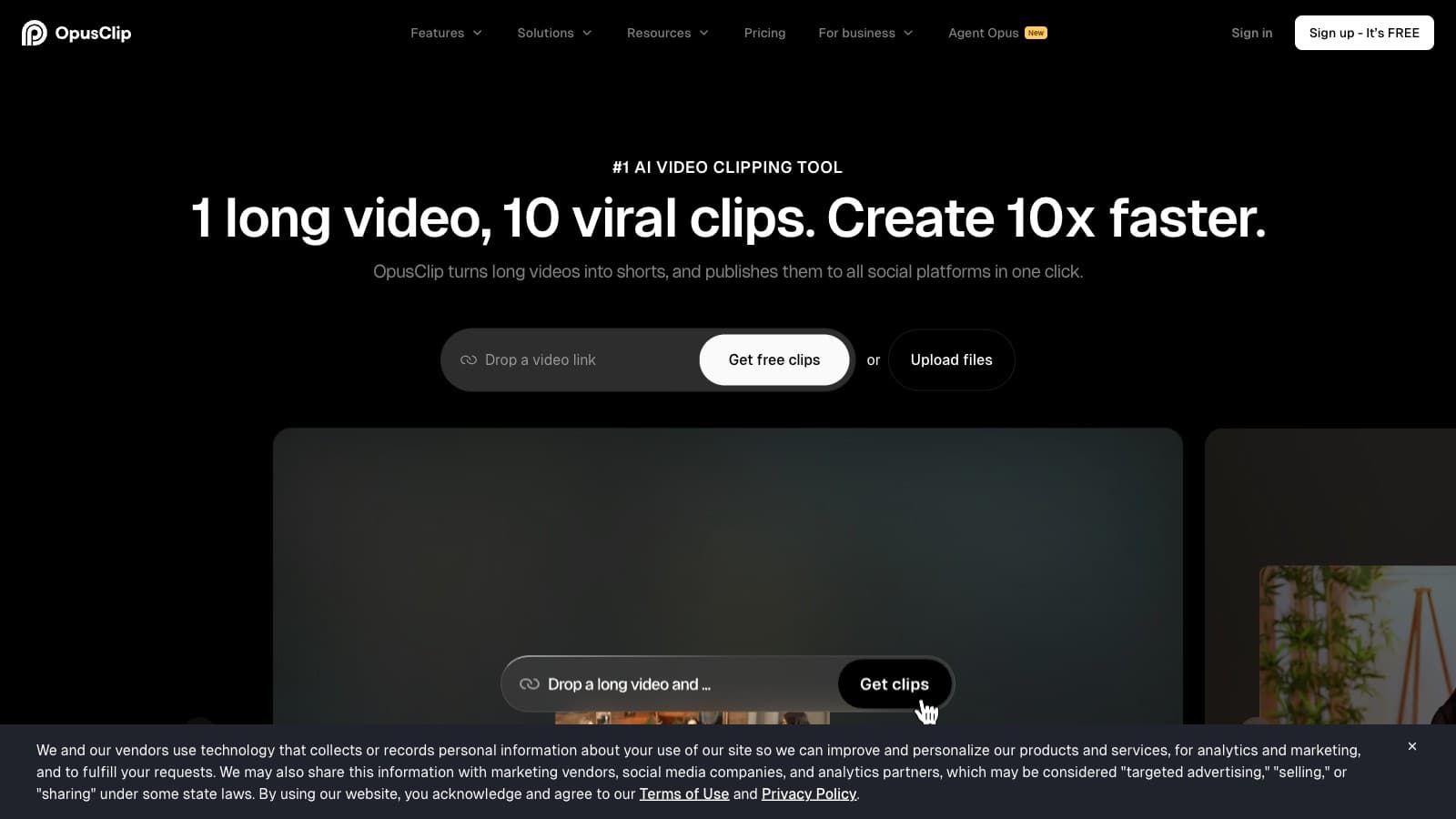
Disclosure: Some links below are affiliate links. If you sign up through one we may earn a commission — at no extra cost to you. We'd write the same comparison without them.
We earn a commission if you sign up through our Opus Clip link. Vidyo.ai's affiliate program exists but we haven't been approved yet, so our link to them is a plain referral. Neither relationship changes what we write — we'd tell you the same thing either way.
Opus Clip and Vidyo.ai (now branded Quso.ai) both take a long video, hand you back a pile of vertical clips with burned-in captions, and ask you for $15 to $49 a month. The pitch looks identical from the outside. It isn't. Opus is a focused clipper that keeps winning on raw selection quality. Vidyo.ai is a loose bundle — clipping plus a scheduler plus multilingual subtitle tooling plus a brand kit — priced to undercut you on total-stack cost if you're willing to live with mediocre-middle clip picks.
We've used both. We haven't sat them in front of the same 45-minute source in a controlled bench test, so where clip-quality claims are load-bearing, we'll flag that this is spec-plus-usage, not a lab run.
TL;DR
| Criteria | Opus Clip | Vidyo.ai |
|---|---|---|
| Cheapest watermark-free tier | $15/mo Starter ($12 annual) | $29/mo Lite ($15 annual) |
| Realistic creator tier | $29/mo Pro ($19 annual) | $49/mo Growth ($25 annual) |
| Raw clip selection quality | Sharper hook/payoff picks | Usable, trends to middle-of-conversation |
| Credits on the default tier | 300 (~5 hrs source) | 600 on Growth (~10 hrs source) — Vidyo wins |
| Native social scheduler | No — Zapier only on Pro+ | Yes, 7 platforms on Essential+ |
| Brand kit (logo, colors, fonts) | Not offered | Growth tier ($49/mo) |
| Multilingual subtitle tooling | 20+ languages, quality drops outside EN/ES/PT | EN/ES/FR/DE promoted as products |
| AI filler & silence removal | Not offered | Bundled on Essential+ |
| Affiliate program | Rewardful, 25% recurring 12mo, documented | In-house, terms not public |
| Pricing page clarity | Clean, consistent annual discount | Two different annual discounts shown on same page |
| Naming coherence | One name, one brand | Vidyo/Quso double-branded across the same site |
| Zapier integration | Pro+ | Not a headline feature |
Bolded cells mark the tool that wins the row.
Pick one in 30 seconds
- Opus Clip Starter ($15/mo) if you're an English-speaking solo creator posting once a week and you already have a scheduler you like. Cheapest honest entry into AI clipping.
- Opus Clip Pro ($29/mo) if you post more than twice a week, care about clip-selection quality, and want virality scoring plus reprompt. This is the default we keep recommending.
- Vidyo.ai Essential ($39/mo) if you actively want to cancel Buffer or Later and run clipping + scheduling from one tab. The scheduler unlocks here.
- Vidyo.ai Growth ($49/mo) if you're multilingual, need a brand kit, or you're producing ten hours of source a month. Brand kit and unlimited scheduling only exist at this tier.
- Neither if your main job is caption polish for a brand-consistent YouTube channel — that's Submagic. Or if you want transcript-first editorial control — that's Descript.
Where Opus Clip wins
Clip selection quality, consistently. Creators who test both tools on the same podcast source keep reporting the same thing: Opus picks sharper setup-and-payoff moments. Its virality model has been trained on more data for longer, and the Pro-tier reprompt feature lets you iterate when the first pass misses. Vidyo.ai's Intelliclips output is usable — it's not broken — but it tends to pull clips from "middle of the conversation" rather than "strongest 40 seconds." If clip quality is the one thing you're paying for, Opus is the safer spend.
Starter tier is cheaper and less watermark-tight. Opus Starter is $15/mo ($144/yr, ~$12 annualized) and gives 150 credits — about 2.5 hours of source a month, watermark-free, at full resolution. Vidyo.ai's cheapest watermark-free tier is Lite at $29/mo ($180/yr, ~$15 annualized), and Lite is tighter — 100 credits a month and no scheduler. If a solo creator wants "clipping, no watermark, not much else," Opus is cheaper tier-for-tier and gives you more source minutes on the cheap plan.
Pricing page is clean. Opus publishes monthly and annual prices, a consistent annual discount (roughly 35%), and a credit-to-minute ratio you can verify against your upload cadence. Vidyo.ai's pricing page shows two different annual discount percentages (50% and around 51%) on different cards, doesn't document the credit-to-minute ratio on the pricing page itself, and requires cross-referencing the Free tier description to confirm 1 credit ≈ 1 minute of source. Not dishonest, but not clean.
Affiliate program is public and documented. Opus runs an affiliate program through Rewardful: 25% recurring commission for 12 months, $20 minimum payout, PayPal on the 15th. If you're a creator who plans to recommend tools to an audience, the rails are visible. Vidyo.ai has an "affiliate" link in the footer, but commission terms are not publicly disclosed and the program is in-house, which usually means less predictable payout infrastructure.
Single name, one brand. Opus is Opus. Vidyo.ai was rebranded to Quso.ai in late 2024 and both names still appear across the live site, support search, and third-party tutorials. Every time you search for a help article or a creator review, you'll get half the results under one name and half under the other. It's a minor, recurring tax.
Where Vidyo.ai wins
It bundles a scheduler Opus doesn't have. From Essential ($39/mo, $20 annualized) up, Vidyo.ai includes one-click scheduling to seven platforms: YouTube, TikTok, Instagram, Facebook, LinkedIn, Twitter/X, Pinterest. Growth adds unlimited post scheduling, bulk publishing, and advanced analytics. If you're currently paying Opus $15/mo plus Buffer or Later at $6 to $15/mo to post the clips after they render, Vidyo.ai Essential replaces both subscriptions with one login. The scheduler isn't Buffer-grade — but it clears the "post to four platforms on a calendar" bar that most solo creators actually need.
Multilingual subtitle tooling is real, not a marketing afterthought. Vidyo.ai promotes dedicated subtitle generators for English, Spanish, French, and German as first-class products on its tools page. Opus supports 20-plus languages on paper, but Reddit threads consistently cluster complaints around non-English output — Japanese, Mandarin, and Arabic caption quality drops measurably. If you produce in Spanish, French, or German, Vidyo.ai's investment in your language is visible.
More credits on the creator-default tier. Vidyo.ai Growth at $49/mo includes 600 credits — roughly 10 hours of source video a month. Opus Pro at $29/mo gives 300 credits, roughly 5 hours. At the per-credit level, Growth is cheaper if you're producing long-form podcasts and want to clip multiple episodes weekly. Opus starts to choke around 5 hours and you've got no clean upgrade path short of contacting Business sales.
Brand kit, bundled. Vidyo.ai's Growth tier includes a custom brand kit — logo, colors, fonts, saveable presets. For a creator with a visual identity, this is the difference between "every clip looks like every other Vidyo clip" and "every clip looks like your channel." Opus Clip has no equivalent; you can choose caption style presets on Pro, but there's no persistent brand kit to upload your logo or brand font against. If editorial consistency matters at volume, Growth is actually a fair price for what it does.
AI filler and silence removal is included. From Essential up, Vidyo.ai bundles automatic filler-word and dead-air removal — effectively a Gling subscription for free. Opus Clip doesn't do this at all. If your long-form sources are loose conversations that need tightening before they even hit a clipper, you either pay Gling another $10 to $30/mo on top of Opus, or you move to Vidyo.ai and get it in the bundle.
Pricing side-by-side with annual math
Monthly prices, with the annualized-billing equivalent where each tool publishes it:
| Tier | Opus Clip | Vidyo.ai |
|---|---|---|
| Free | 60 credits, watermarked | 75 credits, 720p, watermarked |
| Cheapest watermark-free | Starter — $15/mo ($144/yr, ~$12 annualized) | Lite — $29/mo ($180/yr, ~$15 annualized) |
| First scheduler tier | — (no scheduler, Zapier via Pro) | Essential — $39/mo ($240/yr, ~$20 annualized) |
| Creator default | Pro — $29/mo ($228/yr, ~$19 annualized) | Growth — $49/mo ($300/yr, ~$25 annualized) |
| Credits on default tier | 300/mo (~5 hrs source) | 600/mo (~10 hrs source) |
| High-volume | Business — custom | Custom / Premium — $42 to $83/mo billed annually |
Two things worth flagging.
Opus's annual discount is roughly 35% across tiers and it's consistent. The pricing page math lines up with the advertised monthly-equivalent number. If you're fit-testing, stay monthly for the first two months, then flip to annual once you're confident — the pre-pay savings are real.
Vidyo.ai's annual headline says 50%+ off, but the math is inconsistent. Different panels show slightly different discount percentages (50%, roughly 51%), and the per-tier annualized prices vary between "save $58" on Lite and "save $196" on Growth depending on where you read. Do not prepay annually until you've run a real episode through the Free tier in your working language. The clip-selection quality varies enough that a 7-day test matters.
The stack math that actually decides this. If you're currently paying Opus Pro ($29/mo) plus Buffer Essential ($6/mo) plus Gling Creator ($15/mo), that's $50/mo for clipping plus scheduling plus filler removal. Vidyo.ai Growth at $25/mo annualized covers all three functions plus a brand kit. That's a real half-off on total stack cost — but only if you're honest that Vidyo's clip quality is good enough for your content. For a volume-over-polish creator, it is. For a creator whose audience watches for the clip picks, it probably isn't.
Things both tools get wrong
Cloud-only processing. Neither tool works offline. If you edit on flights, in cafes with patchy Wi-Fi, or in the SEA monsoon-season internet lottery, both become dealbreakers. Render something with CapCut desktop or Descript locally and pair it with a cloud caption pass when you're back online.
Caption style is formulaic out of the box. Opus clips look like Opus clips. Vidyo clips look like Vidyo clips. Both tools hand you style presets, but the house aesthetic still reads through even when you pick "minimal." A clip using either tool on defaults reads as "made with a caption app." Submagic remains the category leader on brand-match caption customization, and if that's your job-to-be-done, buy Submagic and let one of these two be your clipper.
Credits are the real budget, and both hide it. Both tools market in dollars and charge in credits. One credit ≈ one minute of source video processed on both. The implication neither surfaces clearly: if you upload a 90-minute podcast, it consumes 90 credits whether you export 3 clips or 30. Opus Pro's 300-credit Pro cap buys you roughly two weekly 35-minute podcasts; Vidyo.ai Growth's 600 buys you roughly two weekly 70-minute podcasts. Cap math matters more than tier math.
Virality scoring is vibes, not science. Opus's score is a useful first-pass filter but doesn't predict actual view counts; Vidyo.ai's equivalent signal is softer and less prominently surfaced. Treat them both as "sort your candidates" not "predict performance." The clips your audience responds to are still chosen by your editorial instinct, not the model.
Agency seat management is an afterthought at both. Opus has a Business tier that's "contact sales"; Vidyo.ai's Premium is the same shape. Neither publishes per-seat pricing, neither publishes SSO pricing, and neither has a self-serve team plan in the $100 to $200/mo range. If you're an agency running ten creators, expect a sales call regardless of which tool you pick.
Bottom line
For the pure AI-clipping job, Opus Clip is the better buy in April 2026. Pro at $29/mo is cheaper than Vidyo.ai Growth, picks sharper clips more consistently, and has cleaner pricing and a public affiliate program. If you only want clipping and you work in English, Spanish, or Portuguese, stop reading and buy Opus Pro.
Vidyo.ai earns the recommendation only when the bundle math carries it. If you are multilingual (especially French or German), or you're paying for Opus plus Buffer plus Gling today, or you specifically need a brand kit at under $30/mo annualized — Vidyo.ai Growth is a genuinely good deal. The scheduler isn't Buffer-grade and the clips aren't Opus-grade, but the total-stack cost savings are real.
The caveat. We haven't put both tools through a controlled side-by-side on the same source footage yet. This comparison draws on our separate reviews and the published fact sheets. When we publish the hands-on head-to-head, we'll update this page. If you want the individual deep dives now, see the Opus Clip review and Vidyo.ai review.
Start your free Opus Clip trial → or try Vidyo.ai free (no affiliate — direct link).
FAQ
Is Vidyo.ai the same as Quso.ai? Yes. The product rebranded from Vidyo.ai to Quso.ai in late 2024, but the vidyo.ai domain still resolves and both names are still used across the live site. Support and tutorial search results split between the two names — a real friction tax when you're troubleshooting.
Which is cheaper overall? Opus Clip, at every comparable tier. Starter ($15/mo) beats Vidyo.ai Lite ($29/mo) for watermark-free clipping. Pro ($29/mo) beats Vidyo.ai Growth ($49/mo) if you're comparing clipping-only. The only way Vidyo.ai becomes cheaper is if you count the included scheduler and filler-removal as replacements for other tools you'd otherwise buy — in which case Vidyo.ai Growth at $25/mo annualized can undercut Opus Pro plus Buffer plus Gling by roughly half.
Which has better clip quality? Opus Clip, in the creator testing we've seen and our own usage. Its selection model catches sharper hook-and-payoff moments more often. Vidyo.ai's clips are usable but you'll re-prompt or manually trim more frequently. This is the single biggest reason to choose Opus if clipping quality is the priority.
Does Opus Clip include a social media scheduler? No. Pro and above expose a Zapier integration, which you can wire into Buffer, Later, or Publer. If you want clipping and scheduling inside one dashboard, Vidyo.ai Essential ($39/mo) or above is the cleaner fit.
Which one is better for non-English content? Vidyo.ai, if you work primarily in Spanish, French, or German — its subtitle tooling in those languages is promoted as a first-class product. Opus Clip's transcription is acceptable in Spanish and Portuguese and drops in quality on Japanese, Mandarin, and Arabic per community reports. Test both on a real episode in your language before paying.
Can an Opus Clip Pro user skip Vidyo.ai entirely by wiring Opus to Buffer? Yes, via Zapier on Pro and above. You lose the multilingual subtitle tooling and the brand kit, but you keep sharper clip selection and you control scheduling in the tool you already know. This is the setup we'd recommend for an English-first creator whose scheduler of record is already Buffer, Later, or Publer.
Common questions
Questions people ask.
- Which is better — Opus Clip or Vidyo.ai?
- Opus Clip has the stronger clip-selection algorithm and is the category leader for raw output quality. Vidyo.ai is cheaper at scale and has better built-in scheduling/publishing. If output quality is your bottleneck, pay for Opus Clip. If you're pushing 40+ clips a week and need pipeline tooling, Vidyo.ai is the pragmatic pick.
- Do Opus Clip and Vidyo.ai both support non-English content?
- Both support English well. Vidyo.ai has slightly broader multilingual caption support out of the box; Opus Clip's caption accuracy on non-English audio depends heavily on source quality. For Spanish, Portuguese, Hindi, or Indonesian content, test with a 10-minute sample on each before committing.
- Which has a better free tier for testing?
- Opus Clip's Free tier (60 credits/month with watermark) gives you a clearer signal of real output quality. Vidyo.ai's free trial is time-limited rather than credit-limited. Use Opus Clip's free tier to see clip selection and captioning in practice; use Vidyo.ai's trial to test the publishing pipeline.
- Can I schedule posts to TikTok and Shorts from these tools?
- Vidyo.ai has native scheduling to TikTok, Reels, Shorts, and LinkedIn built into its paid plans. Opus Clip added basic publishing recently but is still weaker as a scheduler — most Opus users export clips and schedule through Metricool, Publer, or Buffer. If scheduling is the reason you're looking at clippers, Vidyo.ai saves a step.
- Does virality scoring actually help either tool's output?
- Both tools score each clip. Treat scores as triage signals, not predictions — a 90+ score means 'review first', not 'will go viral'. The best use of either tool's score is to filter a 20-clip batch down to the 5 worth manually checking, not to pick the clip that will perform best.
Want more head-to-head tests?
Get new comparisons by email.
Tool deep-dives, side-by-side pricing math. No spam.
Subscribe to CreatorStack