Review · 9 min read
Vidyo.ai Review: The Opus Clip alternative with a built-in scheduler
Vidyo.ai (now Quso.ai) pairs AI clipping with a 7-platform scheduler and multilingual captions. Honest breakdown of pricing, weaknesses, and when to pick it over Opus Clip.
- Our rating
- 3.5
- Published
Disclosure: Some links below are affiliate links. If you sign up through one we may earn a commission — at no extra cost to you. We'd write the same review without them.
We earn a commission if you sign up through our links. It doesn't change what we write — we'd tell you the same thing either way.
TL;DR
- Who it's for: creators who want AI clipping AND a scheduler in one subscription, and especially those working in Spanish, French, German, or other non-English languages who feel underserved by Opus Clip.
- Pricing: Free (watermarked, 720p), Lite $29/mo ($15 annual), Essential $39/mo ($20 annual), Growth $49/mo ($25 annual) is the tier that makes the pitch work.
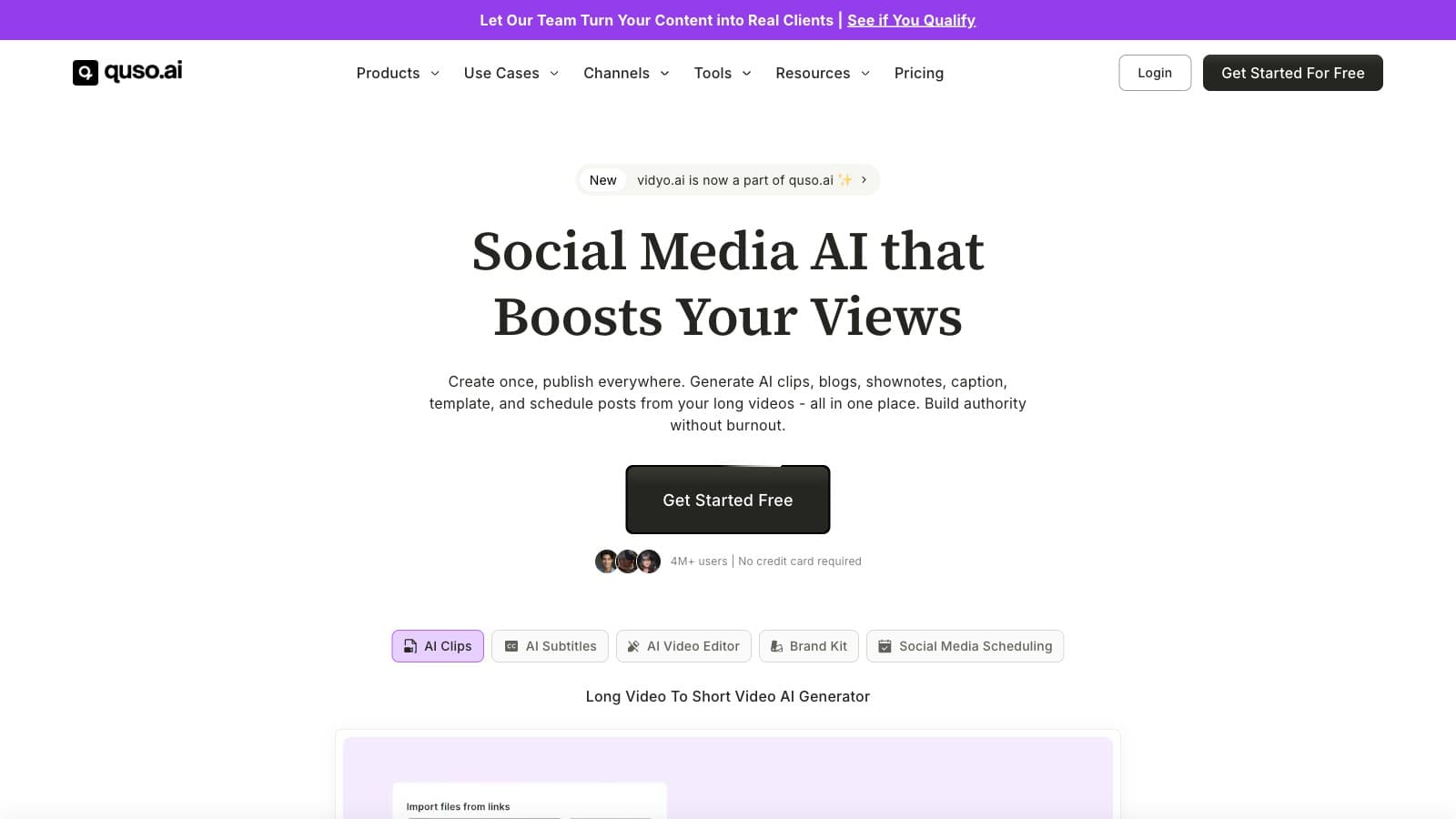
- Best feature: it's genuinely all-in-one. You get auto-clipping, captions, filler-word removal, brand kit, and scheduling across 7 platforms from a single dashboard.
- Biggest weakness: the tool was rebranded from Vidyo.ai to Quso.ai in 2024 and both names are still plastered across the live site. Support, reviews, and community references split between them, and that friction is real.
- Our pick: if you're multilingual or want to cancel Buffer/Later, Vidyo.ai's Growth tier at $25/mo annualized is a real deal. If you only need clipping and you work in English, Opus Clip is the safer bet.
Who should use Vidyo.ai
Three profiles where Vidyo.ai earns its keep.
The multilingual creator. Opus Clip's Spanish and Portuguese transcription is serviceable, but its other-language output is where Reddit complaints cluster. Vidyo.ai promotes dedicated subtitle generators for English, Spanish, French, and German as first-class products — the investment in non-English is visibly deeper. If your audience isn't English-first, demo Vidyo.ai on a real episode before locking in with a competitor.
The solo creator who pays for two tools today. If you're currently running Opus Clip ($15 annualized) plus Buffer or Later ($6–$15/mo) to schedule the clips after they render, Vidyo.ai Essential at $20/mo annualized consolidates both. The scheduler isn't Buffer-grade, but it covers the "post the clip to 4 platforms on a calendar" use case that most solo creators actually need.
The SEA / APAC creator priced out of US SaaS. Vidyo.ai's annual pricing is aggressive enough that it shows up as a first-choice alternative in creator communities in India, Southeast Asia, and Latin America. $15/mo annualized for clipping, $25/mo for clipping + scheduler + brand kit, is in a different zip code from most US-built tools.
If you're a US-based solo YouTuber who only wants clipping and doesn't care about scheduling, you'll get better raw clipping quality from Opus Clip or cleaner captions from Submagic. Vidyo.ai's edge is the bundle, not any single best-in-class feature.
What Vidyo.ai actually does
Under the marketing, the product is four things bolted to one dashboard:
- Intelliclips — the auto-clipping engine. Drop in a YouTube URL or upload a file, get back vertical clips with burned-in captions and subject-tracking reframe. Same shape as Opus Clip and Munch.
- Caption generator — AI-timed subtitles with style presets. Animated, word-level, supports multiple languages out of the box.
- Editing utilities — CutMagic (automatic cuts between speakers/scenes), AI Filler & Silence Removal (bundled, not a separate Gling-style subscription), AI video resizing to 9:16/16:9/1:1.
- Scheduler — once you hit Essential ($39/mo), you get a calendar view for scheduling clips to 7 platforms: YouTube, TikTok, Instagram, Facebook, LinkedIn, Twitter/X, Pinterest. Bulk publishing and advanced analytics unlock at Growth.
The feature creators praise most is the bundle economics. You don't need Opus Clip + Gling + Buffer; you get acceptable versions of all three on one bill.
The feature that underwhelms is clip selection quality. In side-by-side tests creators report, Opus Clip still picks sharper hook-and-payoff moments more often. Vidyo.ai's clips are usable but tend toward "middle of the conversation" rather than "the strongest 40 seconds." Expect to re-prompt or manually trim more often.
Pricing breakdown, with math
Vidyo.ai's pricing structure is messier than it needs to be. Here's the clean version:
| Tier | Monthly | Annualized | Credits | Scheduler? | Brand kit? |
|---|---|---|---|---|---|
| Free | $0 | $0 | 75 | No | No |
| Lite | $29 | $15/mo ($180/yr) | 100 | No | No |
| Essential | $39 | $20/mo ($240/yr) | 300 | Yes | No |
| Growth | $49 | $25/mo ($300/yr) | 600 | Yes, unlimited | Yes |
| Custom | — | $42–$83/mo | 900–1800 | Yes | Yes |
One credit is roughly one minute of source video processed. So Lite's 100 credits = 100 minutes/mo of source. Essential's 300 = 5 hours/mo. Growth's 600 = 10 hours/mo.
Run the math on your own cadence:
- 1 podcast/week × 60 min = ~240 min/mo source → Lite fails at 100 credits; Essential is the floor.
- 2 weekly YouTube uploads × 20 min + 1 podcast × 60 = ~160 min/mo → Lite fails; Essential comfortably.
- Agency posting daily for 3 clients, ~300 min/mo per client = 900 min/mo → Custom tier, not Growth.
The actual decision is Essential vs Growth. Essential gets you clipping plus scheduler at $20 annualized. Growth adds the brand kit (custom logo, colors, fonts) and doubles your credits to 600/mo. For any creator with a visual brand to protect, skip Essential — the house defaults will embarrass you inside a month.
Annual billing cuts roughly 50% off. Do not pay monthly if you're staying past 60 days. But also: do not pre-pay annually until you've used the free tier on a real episode in your actual working language. The clip-selection quality varies enough by language and source type that a 7-day test matters.
Where Vidyo.ai is weak
Front-loading the disappointments so you can decide before, not after, the credit card charges.
The Vidyo.ai / Quso.ai naming mess. The product was rebranded to Quso.ai in late 2024, but the vidyo.ai domain still resolves, still sells the same product, and still uses both names in navigation. Support tickets, third-party reviews, and YouTube tutorials split between the two names. This is a minor tax every time you search for help, but it's a real tax — and it signals a company not fully confident in its own direction.
Clip quality trails Opus Clip on the margin. Opus Clip's virality-scoring model has more training data and catches better moments more consistently. Vidyo.ai's clips are usable but you'll re-prompt more often. If clipping quality is the single thing you're paying for, Opus Clip is the safer bet.
Tier gating is aggressive. The "all-in-one" pitch only materializes at Essential ($39). Lite is clipping-only at a cramped 100 credits. Brand kit — the thing that makes your clips not look like everyone else's Vidyo clips — is locked to Growth. If you're going to pay, plan on Growth from day one; Lite is a trap and Essential is an awkward middle.
Advertised credit math doesn't match all screens. The pricing page shows different annual discount figures (50% vs 51%) on different panels, and the credit-to-minute ratio isn't clearly documented on the pricing page itself — you have to infer it from the Free tier's "75 credits / 75 mins" description. It's not dishonest, but it's not clean.
No independent review aggregation we could verify. G2 and Product Hunt pages exist but are behind Cloudflare; claims like "4M+ users" on the homepage are not independently checkable from public sources. Treat the marketing with the same skepticism you'd apply to any SaaS landing page.
Alternatives worth considering
- /api/go/562c8ffec29affc0 — full review — sharper clip selection, a head-to-head comparison is planned. Pick Opus Clip if clipping quality is the only thing you care about and you already have a scheduler.
- /api/go/434fec2688d0ce8e — full review — best-in-class caption customization. Pick Submagic if editorial control of captions matters more than an integrated scheduler.
- Descript — transcript-first editor. Different category entirely — Descript is a real editor, Vidyo.ai is a post-and-forget pipeline. Pick Descript if you have 20 minutes per clip to give.
- Captions.ai — heavier focus on face-to-camera short-form with AI Eye Contact. Pick Captions if you're a talking-head creator and Vidyo.ai's scheduler isn't the main draw.
A detailed Opus Clip vs Vidyo.ai head-to-head is on our roadmap — for now, the Opus Clip review is the closest direct comparison.
Bottom line
Vidyo.ai earns a recommendation only at the Growth tier and only for creators who actually need the bundle. If you're monolingual, English-speaking, and already have a scheduler you're happy with, Opus Clip gives you better clips for similar money. If you're multilingual, or you're tired of paying for Opus Clip plus Buffer plus Gling separately, Vidyo.ai's Growth tier at $25/mo annualized is one of the better deals in the AI clipping category right now.
Don't buy the monthly pricing. Don't stay on Lite past week one. And keep a mental note that when you search for support, "Quso" will find things "Vidyo" won't.
Try Vidyo.ai free → (no affiliate — direct link)
FAQ
Is Vidyo.ai the same as Quso.ai? Yes. The product was rebranded from Vidyo.ai to Quso.ai in 2024. The vidyo.ai domain still works and routes to the same product. Both names appear across the live site. New marketing leans on Quso; existing creator references mostly still say Vidyo.
Does Vidyo.ai have a free plan? Yes — 75 credits per month (roughly 75 minutes of source video), 720p rendering, watermarked output. It's a trial tier, not a workflow, but it's sufficient to test clip quality in your actual language before paying.
How do Vidyo.ai credits work? One credit roughly equals one minute of source video processed. Lite's 100 credits give you about 100 minutes of source per month; Essential's 300 give ~5 hours; Growth's 600 give ~10 hours. Exports don't consume additional credits — the meter is on input length.
Does Vidyo.ai include a social media scheduler? Only on Essential ($39/mo) and above. The scheduler covers Twitter/X, YouTube, LinkedIn, Pinterest, TikTok, Facebook, and Instagram. Bulk publishing and advanced analytics unlock at Growth.
Vidyo.ai vs Opus Clip — which is better? Opus Clip wins on raw clipping quality; Vidyo.ai wins on bundled scheduler, multilingual caption tooling, and annual price. If you only want clips, Opus. If you want clips + scheduling in one subscription and you post in multiple languages, Vidyo.ai. A detailed head-to-head is on our roadmap.
Can I cancel Vidyo.ai anytime? Monthly plans can be canceled from the dashboard at any time, with access continuing to the end of the billed period. Annual plans — verify refund policy at signup; the pricing page does not prominently document pro-rating.
Common questions
Questions people ask.
- Is Vidyo.ai the same as Quso.ai?
- Yes — same product, mid-rebrand. Vidyo.ai became Quso.ai in 2024 and both names still appear across the live site, support docs and community threads. The tool works the same regardless of which URL you hit. The friction is real though: reviews and help articles are split between the two brand names, so searching for troubleshooting is messier than it should be.
- How does Vidyo.ai compare to Opus Clip for English content?
- Opus Clip still picks sharper hooks. In side-by-side creator reports, Opus tends to find the strongest 40-second moments while Vidyo.ai's clips drift toward mid-conversation. For English-only workflows where clip quality is the job, Opus Clip wins. Vidyo.ai's edge is the bundle — clipping plus captions plus scheduler for one price — not raw clip selection.
- Is Vidyo.ai good for non-English creators?
- Yes — this is its clearest edge. Vidyo.ai markets dedicated subtitle generators for English, Spanish, French and German as first-class products, and the investment in non-English is visibly deeper than Opus Clip's. If you publish in Spanish, Portuguese, French or German, demo Vidyo.ai on a real episode before locking in with a competitor.
- What's the Vidyo.ai free plan limit?
- The free tier gives you basic access with watermarked 720p exports and a small monthly cap — enough to judge clipping quality on one or two episodes. The Lite tier at $15/mo annual removes the watermark and bumps you to HD. You only unlock the scheduler at Essential ($20/mo annual) and advanced analytics + bulk publishing at Growth ($25/mo annual).
- Can Vidyo.ai replace Buffer or Later?
- For basic scheduling across YouTube, TikTok, Instagram, Facebook, LinkedIn, X and Pinterest, yes. The scheduler covers the 'post this clip to 4 platforms on a calendar' use case most solo creators need. It isn't Buffer-grade — you won't find the deep analytics or team-collaboration features — but at $20-25/mo annual it's cheaper than running two subscriptions.
Enjoyed this review?
New reviews every week.
Tool deep-dives, head-to-head tests, pricing math. No spam.
Subscribe to CreatorStack